click the head
Hydra Torrent
A BitTorrent client, built for your media server.
Your shows, downloaded and filed while you sleep.
Hydra Torrent is free, open source, and does the boring part for you. It searches through your own Jackett, picks up new episodes with RSS rules, sorts finished downloads into your Plex or Jellyfin library, and tells the server to take a look. You just open Plex.
The Windows exe isn't code-signed yet, so SmartScreen may warn the first time you run it. Choose More info, then Run anyway.
SHA256
Open source · MIT licensed · Windows, Linux and Docker · Source code
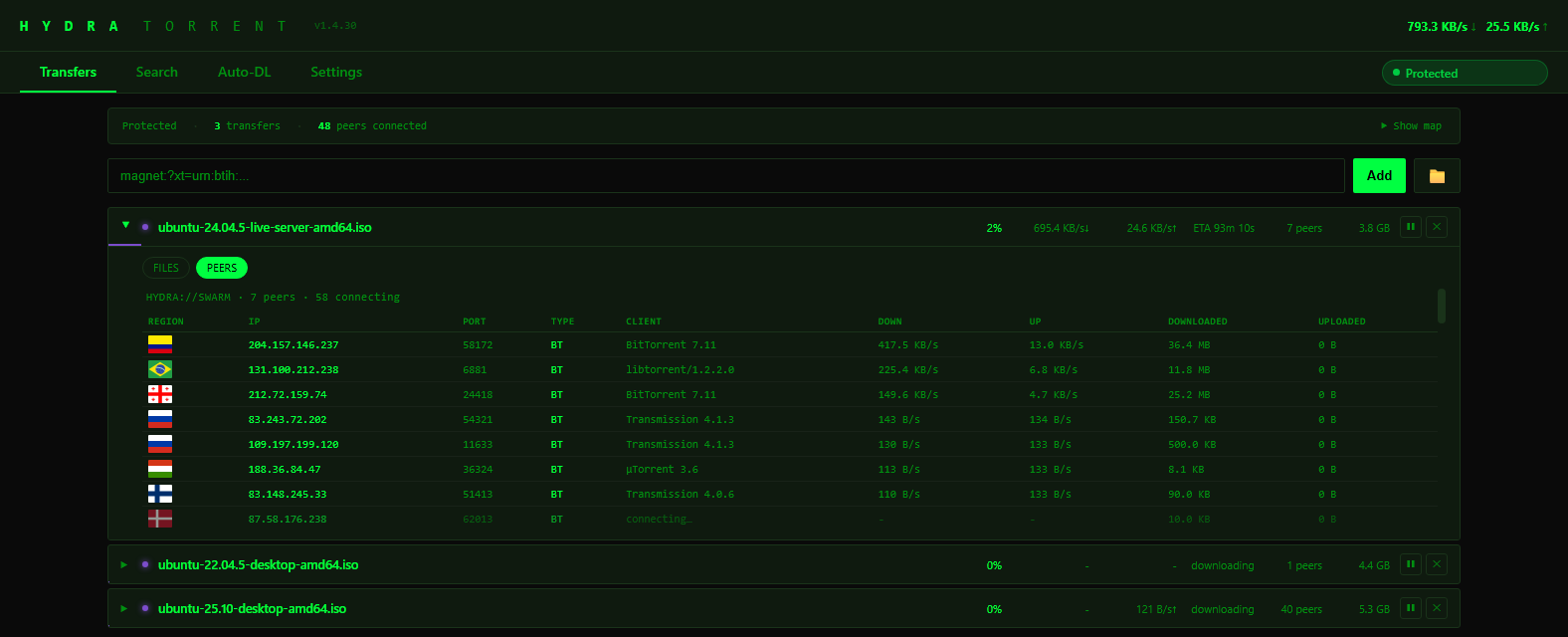
How it works
Find it
Search through your own Jackett, or add an RSS rule for a show and let new episodes come to you.
Download it
Hydra downloads on libtorrent. Bind it to your VPN and every transfer stops in about a second if the tunnel drops.
Watch it
Finished downloads are sorted into your Plex or Jellyfin library, and the server is told to scan. You just open Plex.
What it does
Everything in one place
Search, download, RSS, filing and the Plex or Jellyfin scan all happen in the same app.
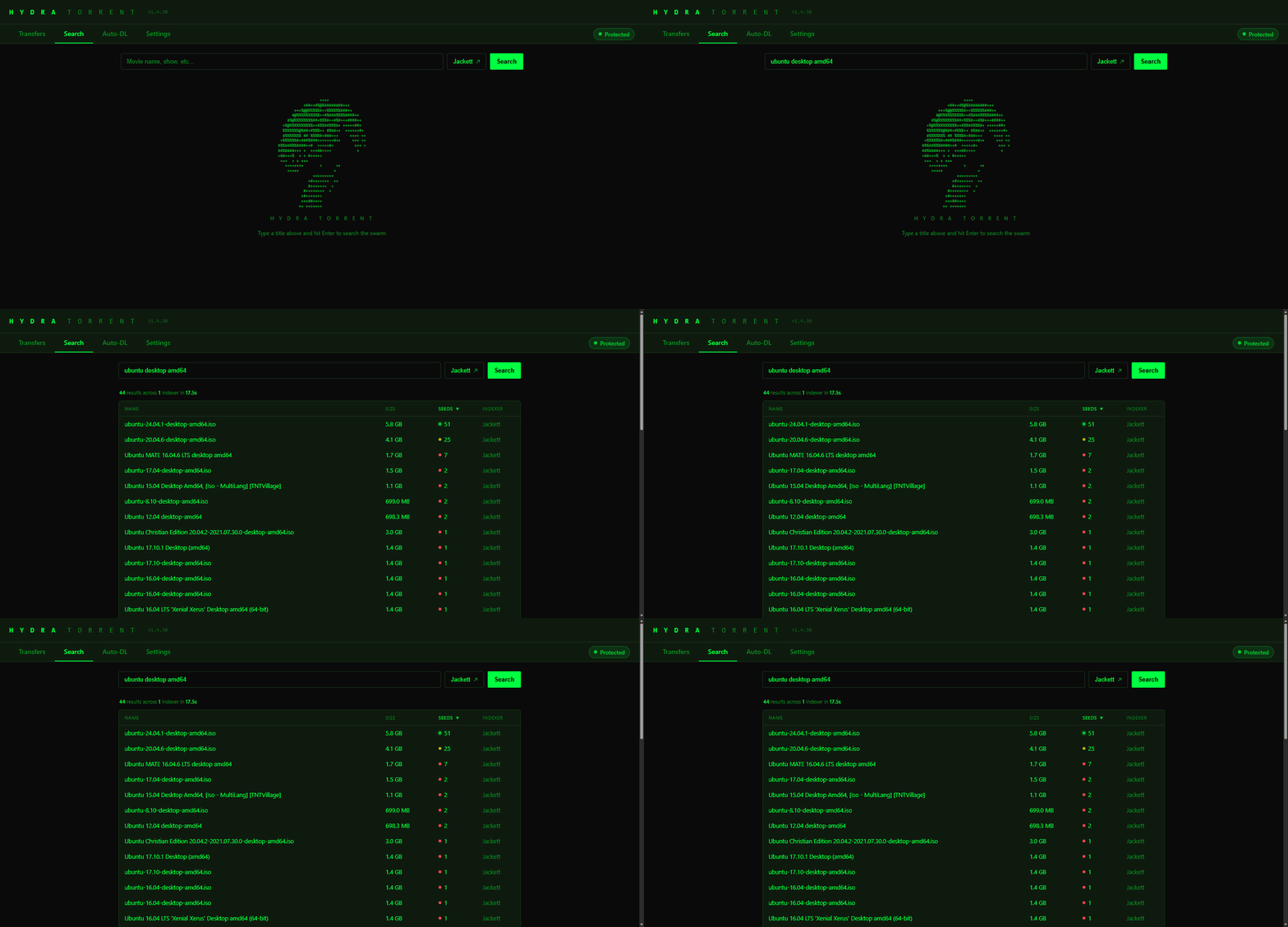
Search is built in
Connect your own Jackett and pick your own indexers. Hydra ships with none, so every source is your choice.
Built on libtorrent
The same BitTorrent library that qBittorrent and Deluge use.
RSS rules
New episodes get grabbed as they appear. Seed ratio limits and auto-remove.
Auto-filing
Movies, TV and anime go into the right folders, and Plex and Jellyfin are told to scan.
Runs anywhere
Windows exe with a tray icon, a Linux service, or Docker. Manage it from any browser on your network.
Pick your files
Choose which files in a torrent to download, and where to save them, before anything starts.
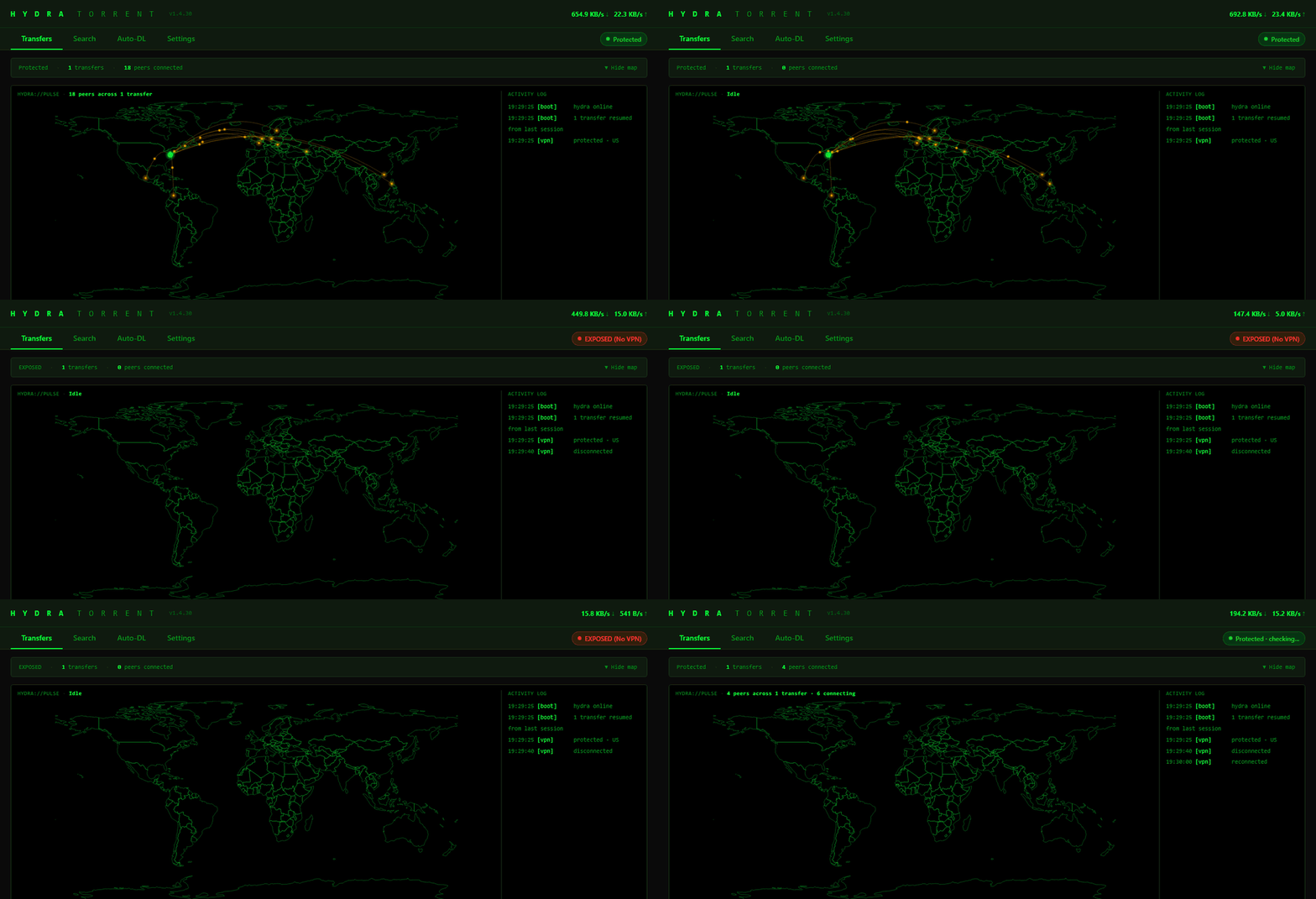
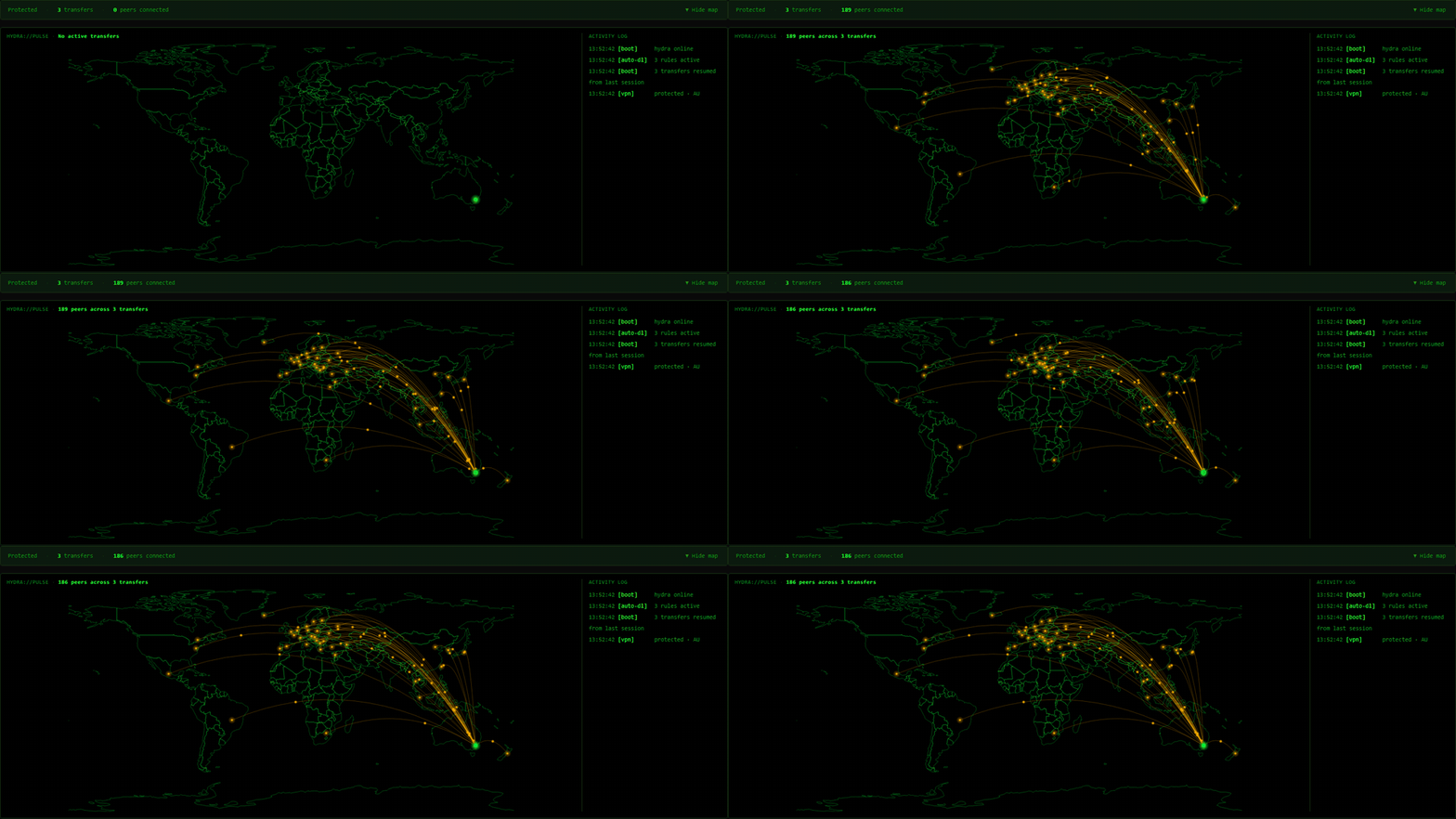
See your swarm
A live map of where your peers are, as it happens (country level).
VPN kill switch
Hydra binds torrent traffic to your VPN interface and arms the kill switch itself the first time it sees a VPN. If the tunnel drops, every transfer pauses and no sockets stay open on your real connection, then everything resumes when the VPN is back. I measured it on a real drop: with the switch off, Hydra rebound to the real network and kept downloading on my real IP. With it on, nothing ran on a real interface within about a second. Click the head up top to see it.
Screenshots
FAQ
Is it free?
Yes. Hydra Torrent is open source under the MIT licence. No accounts, no ads, no cookies, no analytics.
Is it legal?
The software is. BitTorrent is an ordinary file-sharing protocol, and it is widely used to distribute Linux ISOs, open-source software, game updates and public-domain media. What you download with it is your responsibility. Downloading copyrighted material without permission is illegal in most countries, and Hydra does not change that. Hydra ships with no indexers and no content, so it only finds what you point it at. A VPN kill switch protects your privacy, not your legal position. This is not legal advice.
Do I need Plex, Jellyfin or Jackett?
No. Paste a magnet link or open a .torrent file and it downloads. Plex and Jellyfin are only for auto-filing and library scans, and Jackett is only for the built-in search.
What does the VPN kill switch actually do?
Hydra binds torrent traffic to your VPN interface. If the tunnel drops, transfers pause and nothing stays open on your real connection. They resume when the VPN is back. It is measured on a real drop, and the details are in the repo.
Why does Windows show a SmartScreen warning?
The exe is not code-signed yet, because a signing certificate costs money. Choose More info, then Run anyway. You can check the download against the SHA256 shown above the screenshot.
Is it safe to expose to the internet?
No. There is no login screen yet, so keep Hydra on your own network or behind a VPN, and do not forward port 8765.
Where do I report a bug?
On the Codeberg issue tracker.
Install
Windows
Download HydraTorrent.exe from the latest release and run it. It installs itself (shortcut, Start Menu, tray icon). SmartScreen will warn because the exe is not code-signed: choose More info, then Run anyway. Hydra opens in its own window; to use a browser instead, open http://localhost:8765/ui.
Docker
git clone https://codeberg.org/DelCtrlAlt33/hydra-torrent.git
cd hydra-torrent
docker compose up -d
Linux
git clone https://codeberg.org/DelCtrlAlt33/hydra-torrent.git
cd hydra-torrent
sudo bash install.sh
On Linux and Docker your browser will show a certificate warning on the first visit. That's expected: the certificate is self-signed.
Before you start
Hydra works with the Plex, Jellyfin and Jackett you already have. None of them are required to download torrents; paste a magnet link or open a .torrent file and go.
- Search goes through your own Jackett, since Hydra ships with no indexers. Point it at your Jackett in Settings.
- Plex and Jellyfin filing needs Hydra to be able to open your library folders (a mapped drive or a network share works).
- There is no login screen yet. Keep Hydra on your own network or behind a VPN, and do not expose port 8765 to the internet.
- The Windows exe isn't code-signed, so SmartScreen warns the first time you run it. Choose More info, then Run anyway.
- Peer locations are country level.